Showing posts with label Great Court. Show all posts

Friday, 3 June 2011

Rhino v5 Extrusions, GeomGym Plugins


I've been enabling Rhino version 5 light weight extrusions to the Geometry Gym Rhino plugins, that uses less memory, meshes faster and saves out to much smaller file sizes.
http://wiki.mcneel.com/rhino/rhinov5status_extrusions

I've seen and heard some positive demonstrations and reports of this improvement, but decided to do some quick bench marking for myself and the results are impressive.

I prepared some approximate models of the British Museum Great Court Roof as part of this discussion with importing IFC models into Archicad.


The model comprises 5180 members, and the improvements from v4 to v5 are really impressive.
I've benchmarked using the Geometry Gym IFC importing plugin, which will use the new extrusions when running in v5.  If you want to try for yourself, install/update the plugin, http://www.geometrygym.com/downloads and the IFC data file can be downloaded here.

Or, if you just want to open the rhino model, download here.

Time wise (only considering the generation of the extrusions, ignoring file reading time etc) it took 35 seconds on my computer to generate 5180 version 4 extrusions.  In version 5, it took less than a second.

When saving out the rhino model, version 4 produced a file 74 MB, version 5 produced a 3 MB file.

And there is very little lag or delay when panning, zooming and rotating the v5 model, in comparison with v4.

The only drawback (which should be a temporary matter and improved as the beta version of 5 progresses) is a much slower start up time for version 5, particularly 64 bit (which seems to be made slower by loading geometry gym plugins which is being investigated).

However, if you're working on skeletal or frame models, I strongly recommend taking the step up and using v5.  Extrusion elements also can accomodate end miter planes, which I'm in progress of enabling to the plugins.

With regards to the IFC plugin, you might also notice some other speed improvements when importing large faceted brep models generated by other BIM software.

Feel free to comment with any suggestions or observations of your own.


Wednesday, 1 September 2010

Grasshopper Curve Force Density (Great Court Roof Revisited)

First thing to state, I plan to revisit the topology (connectivity) of the curve network to get a better result, so please come back soon and check if it's updated.

I've been adding curve network force density tools into the Grasshopper BullAnt plug-in.  There's progress on using the Great Court Roof as an example.


You can download the Rhino file here and the Grasshopper definition here.

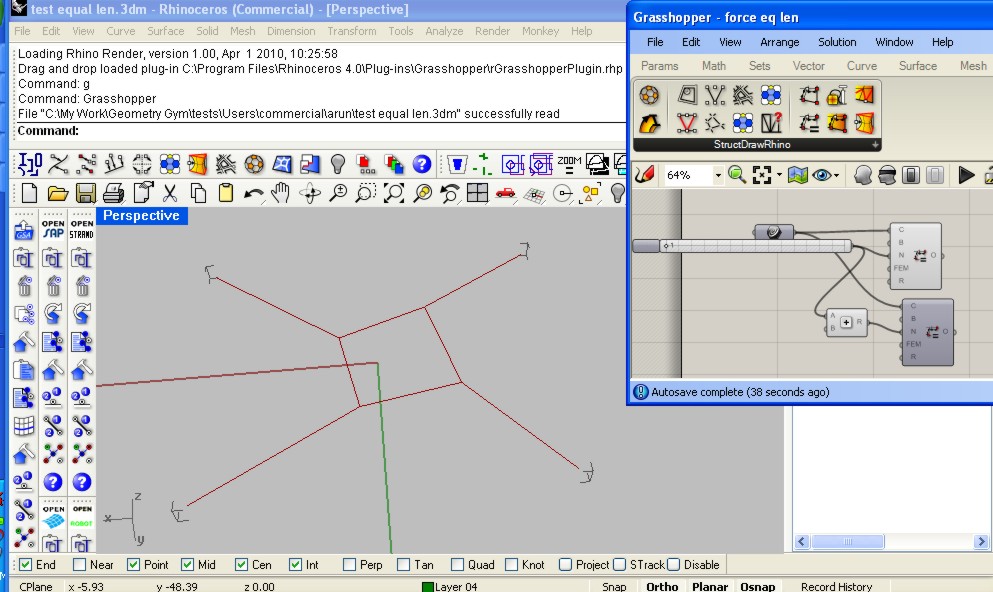
Also possibly of interest is a "reverse" force density where it iterates through the network nodes and repels the neighbouring nodes rather that move the current node, which can be used in some circumstances to produce equal length curves.  Here's one example, although it seems there's lots of scenarios where it's not so successful. I've put a slider on the iteration so you can see it converge on an answer, and it's producing two adjacent loop results so you can compare.


Rhino file here and Grasshopper file here.

Sunday, 1 November 2009

British Museum Great Court Roof using StructDrawRhino

Another stunning, innovative structure that has inspired similar projects since.  It's a favorite space of mine, especially on a bright sunny day when the shadows and reflections are mesmerising.


Here's some papers, blog posts and links I found to determine how Happolds and Fosters designed this amazing roof.

http://opus.bath.ac.uk/14111/1/ChrisDeakin2001.pdf
http://www.enhsa.net/downloads/publi/con2004/102_Williams.pdf
http://people.bath.ac.uk/abscjkw/

So, now you can try to do something similar yourself using the structural plug-ins for Rhino.  My routines and commands don't follow exactly the description from the paper, but they allow something similar to be created.


To try this for yourself, the input Rhino file can be downloaded from here

I'm currently coding up algorithms for more powerful force density routines to include dynamic relaxation, but in the interim you can try the sdrMeshRepelVertex command to relax a rigid mesh outline with discontinuitys at nodes/vertices for continuing edges.  I used the sdrZigZagCurves command to divide the initial radial lines to generate the starting Grid.

From the starting flat grid, we can use the plug-in command sdrMeshProjectVerts to project the mesh vertices onto the mathematical surface.

Then we start the mesh relaxing process.  The command  sdrMeshRepelVerts uses force density to repel mesh vertex away from their neighbours.  Naked/Free edges/vertex will be restrained.  The more loops or iterations you allow, the better the result you will get.  Note that you can nominate a target surface that will vertically project the vertex back onto the surface (if you don't, the mesh will naturally flatten).  I found the best result was by nominating the balance force option for a number of iterations, and then to run a few loops of the target equal length for edges.

You can then extract the medge edges to curves using the sdrMeshDupEdges command.  By applying a structural profile (I assumed a much larger hollow profile than that used), the plug-in will automatically sweep the centreline curves.


There is also a number of routines in development for form finding and finding minimal surfaces.  Blog posts with worked examples will shortly follow, but if you look at sdrMinShapeMesh function you can try it for your self.  The other sdrMesh.... routines allow manipulation of mesh generated in Rhino to transform it to arrangements more appropriate for analysis/solving.

If you've any requests, ideas or suggestions for these routines (or need more help or other examples), don't hesitate to get in touch.